Samsung Bottom Ice Maker Not Working: Reset & Fix Steps
If your samsung bottom ice maker not working, it’s frustrating—especially when the freezer is cold and you still have no cubes. The good news is that most “no ice” issues come down to settings, water flow, or a freeze-up that stops the harvest cycle. Follow the steps below in order to restore ice production without guesswork.
For more help, see our Samsung Ice Maker Not Working: Diagnose and Fix No-Ice Problems guide.
Start With the Fastest Checks
Confirm the ice maker is switched on
Start at the control panel. On many Samsung bottom-freezer and French-door models, the ice maker can be switched off even when the freezer is running.
- Look for an Ice Off option on the refrigerator display or settings menu.
- If Ice Off is enabled, switch it to Ice On.
- Make sure the ice-maker light/indicator changes after you turn it back on.
- Wait for the unit to complete its cycle; ice production resumes based on fill/harvest timing.
If the ice maker is already on, continue—your next likely causes are water supply, temperature, or a blocked path.
Check the water supply and shutoff valve
No ice often means there’s no water reaching the ice maker module. A closed shutoff valve or kinked line can stop the fill step entirely.
- Locate the refrigerator’s water shutoff valve behind or beside the unit.
- Turn the valve fully open (handle parallel to the pipe).
- Inspect the water line for kinks, sharp bends, or crimps.
- If you recently moved or serviced the fridge, re-seat the connection firmly.
If your fridge has a water filter, note that a severely clogged filter can also reduce flow enough to prevent ice production—check that in the next sections.
Make sure the freezer temperature is cold enough
Ice production requires a properly cold freezer. If the freezer runs warm—even slightly—the ice maker won’t form solid cubes and may stop harvesting.
- Set the freezer to 0°F (-18°C).
- Use the fridge’s temperature display or an appliance thermometer placed in the freezer.
- Leave the door closed long enough for temperature to stabilize (after changes, allow several hours).
If the freezer reads correct temps but ice is still not produced, move on—temperature isn’t the root cause.
Look for the Ice Off, Filter, or Door Alarm indicators
Samsung displays can point you directly to a mode or maintenance issue preventing ice.
- Check whether Ice Off is active and turn it off if it is.
- Look for a Filter reminder light—replace the water filter if it’s due or overdue.
- If you see a door alarm or similar warning, inspect the door seal and confirm the doors close fully.
If none of these indicators appear, proceed to the reset steps to clear minor faults.
Reset the Ice Maker the Right Way
Use the reset button or test switch if your model has one
Many Samsung ice maker modules include a small Test or reset switch. Using it triggers a controlled cycle so the unit fills and attempts harvest.
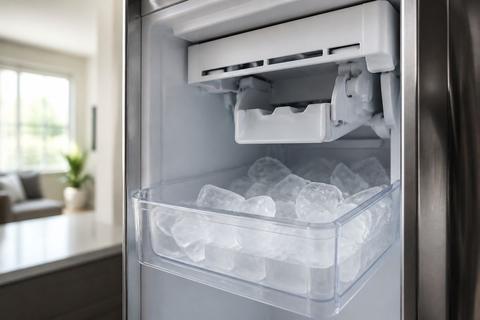
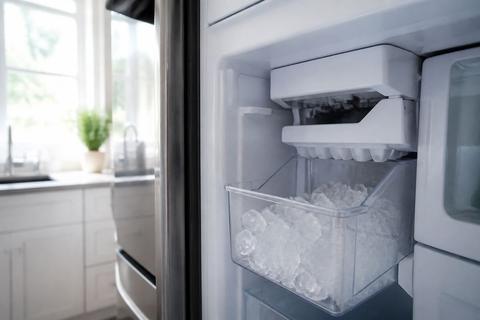
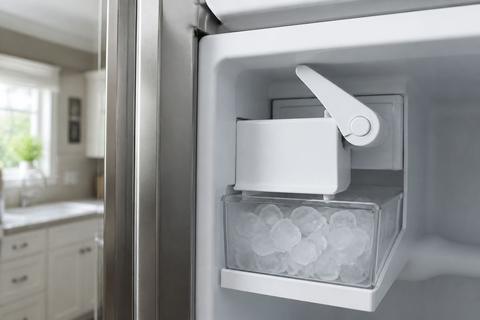
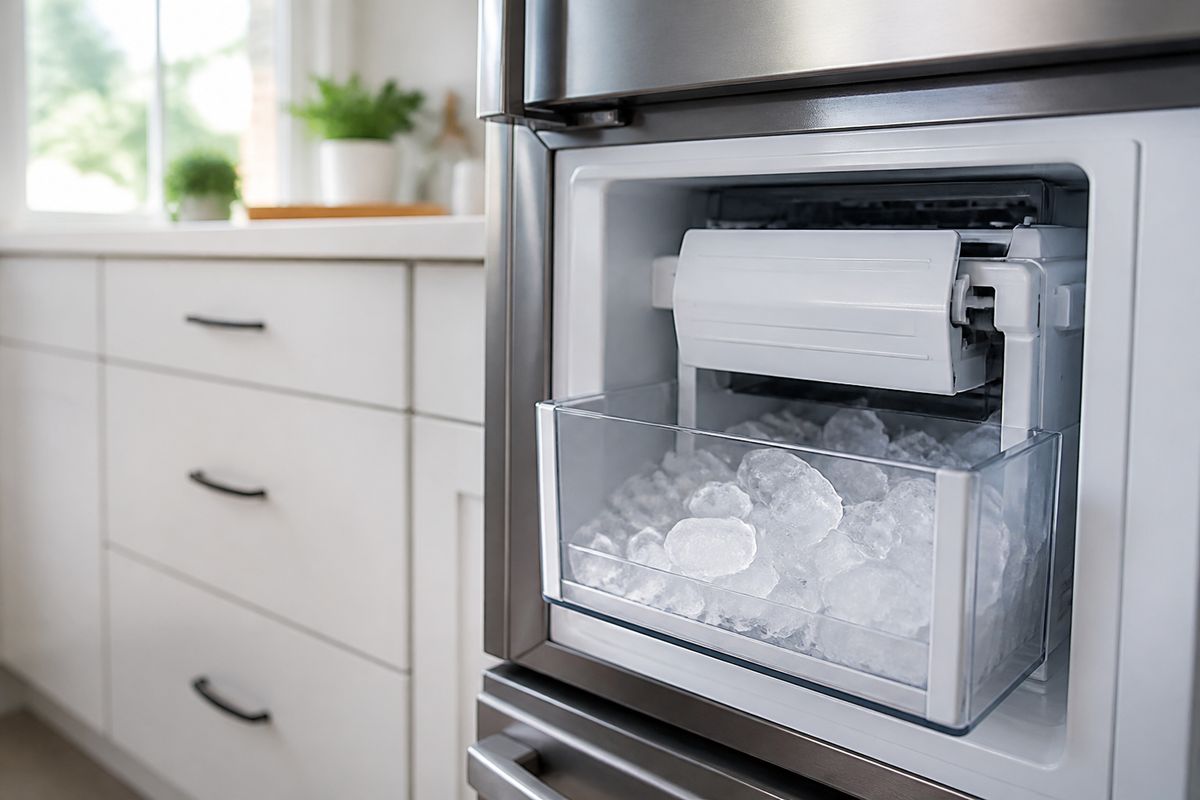
- Remove the ice bucket to access the ice maker module.
- Find the small blue Test button (commonly on the underside or right side near the ice maker assembly).
- Press and hold it for about 10 seconds until you hear a chime.
- Close the door and leave the refrigerator running through the cycle.
This method is best when the ice maker has power but is stuck before harvest.
Power-cycle the refrigerator to clear a minor glitch
If the module or control briefly locks up, a full power cycle clears temporary errors that settings resets can miss.
- Switch the ice maker to Ice Off from the panel (if available).
- Unplug the refrigerator from power.
- Wait 5 minutes.
- Plug it back in and switch the ice maker back to Ice On.
- Allow the unit time to refill and start producing ice.
After reset, the first batch may be incomplete—discard the first one or two batches.
Try the Samsung ice maker test mode carefully
If your model supports it, the test mode helps you confirm whether the ice maker can harvest and dispense.
- Access the refrigerator’s ice maker/test setting from the panel if your model provides a menu option.
- If not available, use the Test button method described above.
- Run the test only long enough for it to start a fill/harvest attempt, then stop and assess results.
If the unit never fills, focus on water flow and frozen components rather than repeatedly running tests.
Fix Common Causes of No Ice
Thaw a frozen fill tube or ice maker assembly
A frozen fill tube stops water from reaching the maker, which prevents ice from forming. Frost can also build around sensors and the harvest path.
- Turn the ice maker to Ice Off.
- Remove the ice bucket and any visible ice bridges.
- Use warm water to melt a blockage in the fill area (avoid soaking electrical parts).
- If access is limited, use a hair dryer on low heat to melt frost around the auger and chute area.
- Let the area dry for a few minutes, then turn Ice On.
Avoid open flames and do not use sharp tools that can damage plastic components.
Replace a clogged water filter
A clogged filter reduces flow so the ice maker can’t fill properly. Replace it to restore full water volume.
- Check your filter status and replace it if it’s due or overdue.
- Use only a compatible Samsung replacement filter.
- After installing, run water dispensing to clear air from the lines.
- Wait for the refrigerator to complete its refill process (ice maker timing starts after water pressure stabilizes).
If the filter is new but ice is still missing, move to airflow and path blockages.
Clear blocked vents, drawers, or the ice bucket path
Restricted airflow or a blocked ice path can stop the maker from cycling. Ice may also lodge in areas between the chute and bucket.
- Remove drawers or obstructing items that reduce airflow in the freezer.
- Check vents around the back wall for ice or blockage.
- Inspect the ice chute area for ice buildup and clear it with warm water.
- Ensure the ice bucket is installed so the mechanism can deliver cubes.
Don’t force components; if ice bridges are tight, melt them first.
Inspect the water inlet valve for weak water flow
If water flow is weak or intermittent, the ice maker may fail during the fill stage even though the freezer is cold.
- Locate the water inlet valve behind the refrigerator (access depends on model).
- Check for signs of freezing, leaks, or physical damage.
- With power safe, test water flow by dispensing water at the door while observing line behavior.
- If water is weak to the ice maker but normal through the dispenser, the inlet valve or its connections likely need service.
If you see frost around the valve, defrost and retest before replacing parts.
Model-Specific Notes for Bottom Ice Maker Fridges
How bottom ice makers differ on Samsung Bespoke models
Samsung Bespoke configurations can include slightly different ice modules and access points. In many Bespoke setups, the “ice bucket to module” connection and the way the auger/hopper assembly routes cubes are key differences when troubleshooting.
- Use the panel to check for Ice Off status or any alert icons.
- Access the module by removing the ice bucket and looking for ice bridges at the chute.
- Pay close attention to the ice maker’s fill path—frost near the fill tube is a common “Bespoke-style” stoppage.
- If a forced defrost or test mode exists in your Bespoke interface, use it once after clearing ice.
If you still get no harvest, proceed to the replacement decision section.
What to do on RF28, RF26, and RF42 series refrigerators
RF28/RF26/RF42 series often respond well to a combination of ice maker switching and a controlled defrost/reset sequence when frost blocks sensors or the harvest cycle.
- Switch the ice maker to Ice Off on the panel.
- Remove the ice bucket and clear any visible ice bridges around the chute.
- If ice production still doesn’t resume, do a full power cycle as described earlier.
- After power returns, set the freezer to 0°F (-18°C) and leave the unit to run.
If the unit shows ice maker-specific sensor errors (like “SE”), focus on de-icing and defrost steps before replacing parts.
When the ice maker needs replacement instead of resetting
Replacement is the right call when resets, thawing, and water-flow checks don’t restore harvest or filling. When the module cannot produce ice after confirming water supply and clear fill paths, the failure is usually inside the ice maker assembly.
- The freezer is at 0°F (-18°C).
- The ice maker is switched Ice On and reset/test mode has been attempted.
- The fill tube is clear and not freezing again immediately.
- Water supply and filter are confirmed as delivering proper flow.
If these conditions are met and the unit still will not harvest or form ice, replacing the ice maker assembly is often the most practical fix.
If the Ice Maker Makes Ice But It Won’t Dispense
Check for jammed cubes or a stuck auger
If cubes form but nothing dispenses, the issue is usually a mechanical jam in the chute or auger drive.
- Remove the ice bucket.
- Discard any partially frozen clumps or oversized cubes that can jam the chute.
- Inspect the auger area (where accessible) for packed ice.
- Melt the blockage using warm water or controlled hair-dryer heat on low.
- Reinstall the bucket firmly so the dispense path aligns.
If the auger won’t move freely even after melting frost, the assembly may need service.
Verify the ice bucket is seated correctly
A mis-seated bucket can prevent the internal delivery mechanism from engaging, even if ice is produced.
- Pull the bucket out completely.
- Check for ice on the bucket rails or the docking area.
- Reinstall the bucket until it locks into place.
- Listen for the connection engagement and then attempt dispensing.
If cubes are stuck in the chute, seating the bucket alone won’t fix it—clear the path first.
Look for freezer frost buildup around the bin
Excess frost can block cube movement and disrupt the harvest-to-chute transfer.
- Remove the ice bucket.
- Inspect around the ice bin area for frost buildup near the chute opening.
- Clear the frost with warm water and then allow the area to dry.
- Reduce humidity sources in the freezer (leaky seals or open packaging can contribute).
If frost returns quickly, focus on defrost/heater or sensor-related causes in the next section.
When to De-ice, Defrost, or Call for Service
Use a safe de-icing method for frozen components
For frozen components, de-icing must avoid damage to plastic parts and electrical sensors. Use controlled heat and melting, not tools that scrape or puncture.
- Switch the ice maker to Ice Off.
- Unplug the refrigerator only if you must access wiring or if ice is heavy enough to require extended thaw.
- For active thawing without unplugging, use Forced Defrost if your panel supports it:
- On many models, press and hold Freezer (or Power Freeze) and Fridge (or Lighting) together for 8–12 seconds until the display goes blank and beeps.
- When the display shows “Fd”, press a button repeatedly to start the defrost cycle.
- After ice melts, restore power and switch the ice maker back Ice On.
Recognize signs of a failed heater, sensor, or control board
Some failures recur even after thawing. If ice maker frost builds immediately or cycles never restart, components controlling defrost and sensing may be failing.
- If you see an ice maker error like “5E” or “SE” (ice maker sensor) along with a flashing ice-maker light, treat it as a sensor or frost-related issue.
- If forced defrost clears ice but production stops again shortly after, suspect the defrost heater circuit or sensor.
- If water fills briefly but harvest never happens, the control/ice maker module may be failing.
When errors persist after proper defrost and water checks, service is the efficient path.
Decide whether repair or replacement is the better fix
Choose the practical option based on what you’ve already eliminated (water flow, temperature, jam clearing, defrost response).
- Repair is a good choice if the diagnosis points to a specific component (heater, sensor, inlet valve) and the ice maker assembly is otherwise intact.
- Replacement is a better choice if the ice maker won’t harvest or produce ice after resets, thawing, and confirming water flow and temperature.
- Consider cost and time: if multiple parts test failed or errors repeatedly return, replacement often restores function faster.
Focus on the outcome: reliable ice production from the first full cycle after fixing the cause.
Frequently Asked Questions
Why is my Samsung bottom ice maker not working but the freezer is cold?
A cold freezer does not guarantee ice production. Common causes include the ice maker being switched off, low water flow, a frozen fill tube, a clogged water filter, or a failed water inlet valve or ice maker sensor. Start by confirming Ice On and checking that your water shutoff valve is fully open. Then verify the freezer is at 0°F (-18°C) and inspect for any frost build-up that blocks the harvest cycle.
How do I reset a Samsung bottom ice maker?
Many Samsung models reset using a small test or reset button on the ice maker module. If your model has a blue Test button, remove the ice bucket, press and hold it for about 10 seconds until you hear a chime, then let the unit run its cycle. If there’s no test/reset button, do a full power cycle: switch to Ice Off, unplug the refrigerator for 5 minutes, plug back in, and switch to Ice On.
Why does my Samsung ice maker keep freezing up?
Freezing usually comes from an airflow issue, a defrost problem, or blocked fill/harvest components. A blocked vent, a door seal leak increasing humidity, a frost-clogged sensor area, or a stuck water inlet can lead to ice buildup around the fill tube and chute. Clear the chute, run a safe defrost routine if needed, and check whether freezer moisture is increasing.
Should I turn the ice maker off and on after a reset?
Yes. If you reset using Ice Off/Ice On, a test button, or a power cycle, switch the ice maker back to Ice On after the reset completes. Then allow time for the refrigerator to refill and run through its fill/harvest timing before expecting normal ice production. This helps ensure the module isn’t left in a stopped state after clearing a fault.
When should I replace the ice maker assembly?
Replace the ice maker assembly when you’ve confirmed the freezer is at 0°F (-18°C), the ice maker is Ice On, the water supply and filter flow are correct, and the fill tube/chute path is clear—but the unit still won’t harvest or produce ice after a reset and/or defrost. Persistent “SE/5E” sensor-related symptoms after thawing and defrost strongly point to an assembly or control failure rather than a simple blockage.