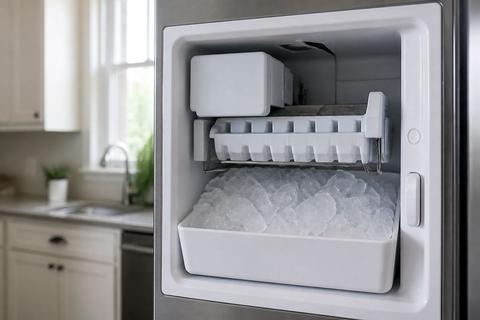
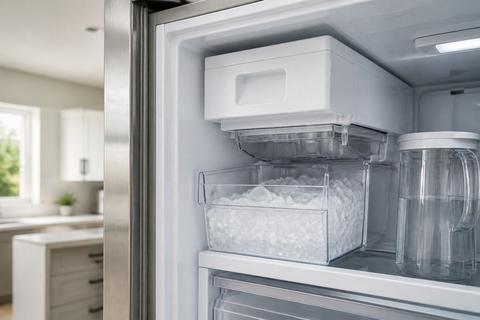
Samsung Freezer Not Making Ice? Check the Ice-Off Arm
If your samsung freezer not making ice, the fix is often simpler than you expect. A raised ice-off arm can fully stop ice production even when the fridge and freezer look like they’re running normally. Before you dig into water filters or parts, check the ice-off arm and ice maker controls first.
For more help, see our Samsung Ice Maker Not Working: Diagnose and Fix No-Ice Problems guide.
Start With the Ice-Off Arm
How the shutoff arm stops ice production
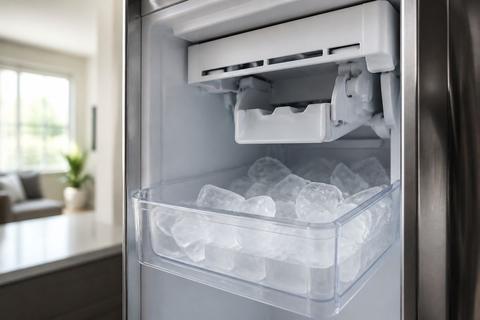
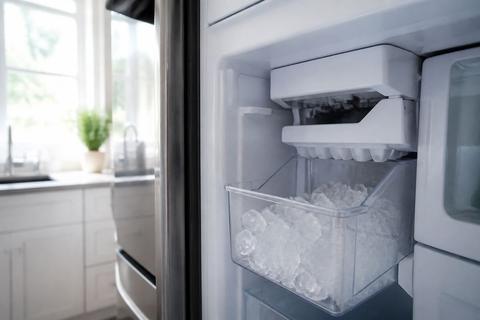
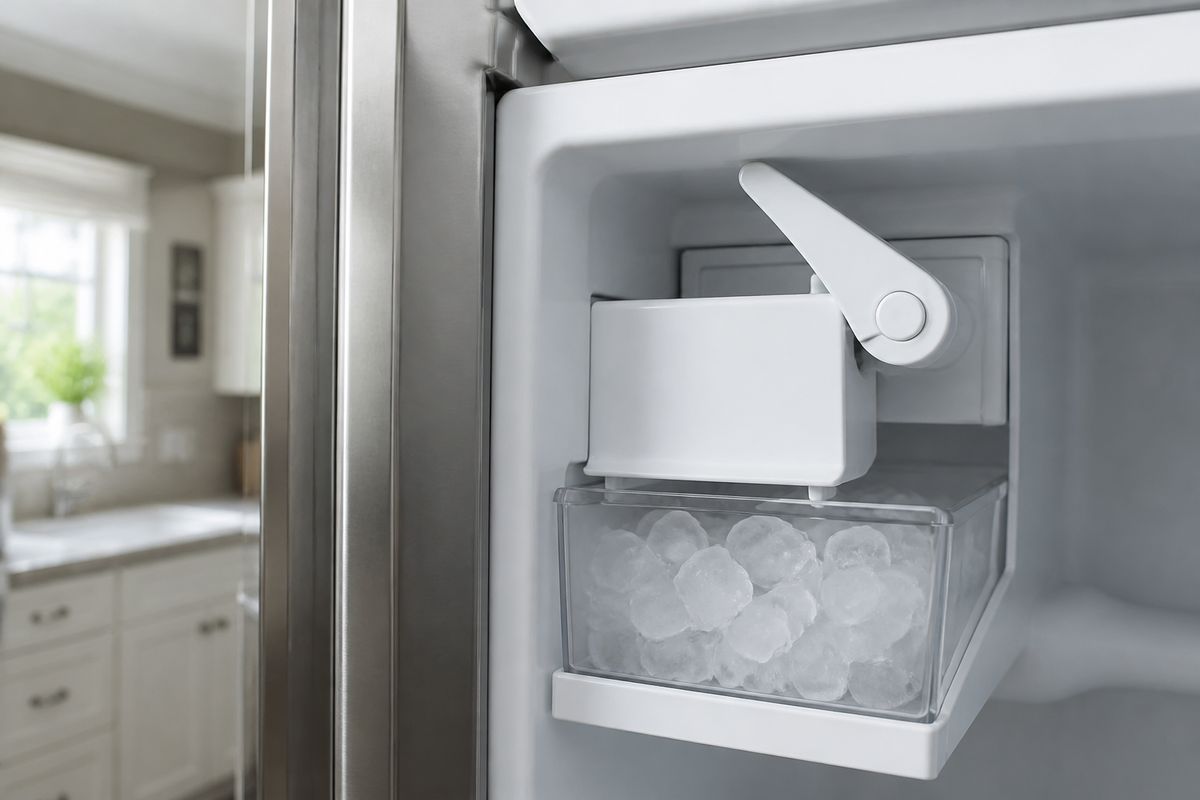
On many Samsung refrigerators, the ice-off arm is a mechanical sensor attached to the ice maker assembly. When the arm is raised (the “off” position), the ice maker won’t initiate the freeze and harvest cycle. Lowering the arm tells the ice maker it can resume making and dumping ice into the bucket. This means you can have cold air and power running but still get zero ice because the ice maker is prevented from cycling.
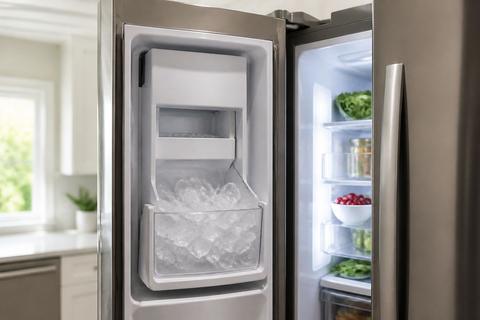
- Locate the ice bin and ice maker housing in the freezer compartment.
- Look for the ice-off arm connected to the ice maker assembly.
- Determine whether the arm is in the raised (off) position or lowered (on) position.
Make sure the arm is fully lowered
A partially lowered arm can still trigger the “off” state. Remove the ice bucket and watch the arm’s movement in the ice maker area so you can see whether it returns to the fully lowered position. Also check for ice bridging—frozen cubes can push the arm up and keep it there.
- Pull out the ice bucket and set it on a towel.
- Gently move the ice-off arm downward until it rests fully in the on position.
- If you see ice buildup near the arm, clear it with warm water and wipe dry.
- Reinstall the ice bucket so it seats correctly against the ice maker.
What a jammed arm looks and feels like
A jammed ice-off arm usually looks stuck at an angle, with visible ice around the pivot or the chute area. You may also feel resistance when you try to move it downward—if it doesn’t move smoothly, ice is blocking the mechanism. In that case, forcing the arm can crack plastic or break the linkage, so clear the jam first.
- Inspect around the arm pivot for frozen cubes or an ice bridge.
- Try moving the arm gently—if it won’t lower smoothly, stop.
- Melt the obstruction using warm water (or a hair dryer on low aimed at the ice area).
- Once free, lower the arm fully and reinstall the ice bucket.
Confirm the Ice Maker Is Actually On
Find the ice maker switch or control on your model
Samsung uses different controls depending on the refrigerator style and model year, but the concept is the same: ice making can be disabled in settings even if the unit is powered. Check the freezer/ice dispenser panel for an “Ice Off” control, an ice selection toggle (cubed vs crushed), or an ice maker mode switch inside the freezer (near the ice maker housing). If you recently cleaned the freezer, moved the ice bucket, or replaced the filter, settings can be changed unintentionally.
- Locate the freezer door control panel or main display.
- Look for “Ice Off,” “Ice Maker,” or an ice mode toggle.
- Check for a physical switch near the ice maker assembly if your model has one.
- Use your owner’s manual if you can’t clearly identify the control.
Use the control panel to re-enable ice making
To restore ice production, switch the ice maker back to the “On” or “Ice” mode. Many Samsung models show an “Ice Off” indicator—if that light is on, ice making is disabled. After re-enabling, ice won’t appear instantly; ice makers need time to freeze and then harvest a batch.
- Open the freezer and confirm the ice bucket is installed correctly.
- On the control panel, switch from “Ice Off” to “Ice On” (or select Cubed/Ice).
- If your model has a separate “Ice Maker” toggle, set it to ON.
- Wait at least 24 hours for the first full batch to refill, then discard the first one or two batches if you were without ice.
Check for accidental settings changes after cleaning or power loss
Power loss, unplugging, or switching settings during cleaning can leave the ice maker in an off/disabled state. Look for indicators like an “Ice Off” status, a paused ice mode, or an empty/disabled dispenser state. If you see error lights on the ice maker compartment, address the arm jam first, then return the ice maker control to ON.
- Scan the display for any ice maker status or “Ice Off” indicator.
- If the refrigerator was unplugged, set the ice maker mode back to ON.
- After cleaning, confirm the arm and bucket are seated so the ice maker can cycle.
- If you recently changed filters, ensure the control still shows ice making enabled.
Rule Out Common Freezer and Water Problems
Verify the freezer is cold enough to freeze ice
Ice production depends on proper freezer temperature. If the freezer is too warm, the ice maker may stop cycling or produce small, weak cubes that don’t grow properly. Set the freezer temperature to 0°F (-18°C) and leave it stable long enough for the evaporator to recover after any door openings.
- Use the refrigerator’s temperature display to check the freezer setting.
- Set the freezer to 0°F (-18°C) if it’s higher.
- Close the freezer door and avoid frequent openings while it stabilizes.
- Give the system time to reach temperature before expecting a full ice bin.
Check the water supply line and shutoff valve
A shut water supply prevents the ice maker from filling, even when everything else is working. A kinked line or a closed shutoff valve commonly stops water flow after maintenance, moving, or under-sink work. Inspect the connection at the refrigerator inlet and confirm the household valve feeding the refrigerator is open.
- Locate the water shutoff valve behind or near the refrigerator.
- Make sure the valve is fully open (not partially closed).
- Check the supply line for kinks, twists, or damage near the back of the fridge.
- If your refrigerator uses an external reservoir, ensure it’s filled to the marked line.
Look for a frozen fill tube or clogged water filter
A frozen fill tube can block water from reaching the ice maker even in a cold freezer. A clogged water filter also slows or stops fill, leading to no ice or only partial batches. If the filter is due for replacement and ice production has stalled, address the filter and look for frost where the fill tube enters the ice maker area.
- Inspect the fill tube area for frost buildup or visible blockage.
- If you see freezing, clear it using warm water and restore normal airflow.
- Replace a clogged or overdue water filter (follow your model’s filter type).
- After any filter change, allow about 24 hours for the ice maker to refill and begin producing.
When the Ice Maker Still Won’t Work
Reset the ice maker safely
If the ice maker won’t run after you confirm the arm is lowered and ice making is enabled, use a proper reset for your model. Many Samsung refrigerators include a test/reset function on the ice maker assembly, while other models require a control-panel reset. If you choose the wrong method or press buttons randomly, you can interrupt the cycle—follow your model’s reset steps.
- Power the unit down safely by switching Ice Off on the panel.
- Remove the ice bucket and clear any obvious ice bridge or jam with warm water.
- Reinstall the bucket, then switch Ice back ON.
- Allow the unit time to complete the freeze/harvest cycle (expect up to 24 hours for new ice).
Inspect the ice bucket, ejector, and motor for obstructions
Obstructions inside the ice path can stop the ice maker from harvesting or dispensing. Pull the ice bucket and check around the ejector area, chute, and bottom of the ice maker assembly for broken cubes or packed ice that blocks movement. Also confirm the bucket is not cracked and that it seats fully; a misfit bucket can interrupt the cycle on some designs.
- Remove the ice bucket and look for packed ice around the chute and ejector area.
- Check for ice on the underside of the ice maker that prevents harvesting.
- Clear the obstruction carefully (warm water works; avoid forcing metal parts).
- Reinstall the bucket firmly so it engages any level/position sensor.
Signs the ice maker module may need replacement
If you have ruled out arm position, control settings, temperature, and water supply, the problem may be the ice maker module itself (motor, sensor, or control board). Signs include repeated fault codes, the ice maker motor running without producing, or the unit never attempts to harvest after reset. A persistent sensor/fault condition is a strong indicator that the assembly needs service.
- Look for repeated error indications like 5E or SE (ice maker sensor faults).
- Note whether the ice maker repeatedly fails to fill or harvest after resets.
- Check whether the ice maker light/status shows persistent ice-maker failure.
- If faults return after clearing frost and waiting through a full cycle, plan on module inspection.
Model-Specific Samsung Issues to Know
Bottom freezer and drawer-style ice maker quirks
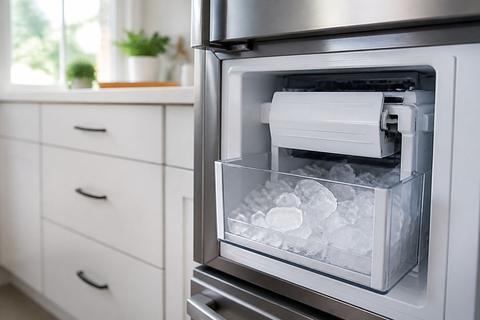
Bottom freezer and drawer-style ice maker setups can be more sensitive to arm position and ice bin seating. The ice path may freeze at joints or near the chute, and drawer-style bins can allow small misalignments that prevent correct sensing. If your model uses a different ice maker layout, the ice-off arm may still be present in the ice maker housing area, but access can be tighter.
- Remove the ice bin carefully to expose the ice maker housing and arm area.
- Ensure the ice-off arm is not held up by ice around the pivot.
- Confirm the bin seats straight and fully engages the mechanism/sensor.
- Clear ice from the chute and surrounding areas where frost forms.
How to handle an OE error code or related fault
Samsung fault codes can point to specific failures like sensor problems, harvest failures, or fill interruptions. For example, 5E or SE (ice maker sensor fault) plus flashing ice-maker indicators often correlate with frost-clogged sensors or a stuck harvest. Start with a defrost/thaw approach before replacement—ice makers frequently resume after frost is cleared.
- If you see 5E or SE, power the unit down and allow time for thawing.
- Run a safe defrost cycle on many models by using the panel button combination method.
- Start by clearing the ice maker area of visible ice obstructions.
- After any thaw/reset, wait long enough for the next fill/harvest cycle to complete.
When a known Samsung ice maker issue may be covered
Some Samsung refrigerator ice maker problems have been widely reported, and coverage can depend on your exact model and serial number. If the unit is within an applicable warranty window, or the issue matches a known defect, you may be eligible for service or part replacement. Before calling, record the model number and any fault codes so the technician can confirm eligibility quickly.
- Locate your refrigerator model and serial number from the inside wall label or back panel.
- Record any error codes, flashing lights, and when the problem started.
- Ask whether your model/serial is associated with a service campaign or warranty extension.
- Keep proof of purchase if you’re outside basic warranty.
Repair, Replace, or Call for Service
When a DIY fix makes sense
DIY is appropriate when the issue is clearly mechanical or environmental: the ice-off arm is raised or jammed, the bucket doesn’t seat correctly, the freezer is warm, or the water line/filter is blocked. These fixes typically don’t require opening sealed refrigeration components. If you can clear a jam, restore correct settings, and address water flow, you can often restore ice production without replacing parts.
- You found a raised or stuck ice-off arm and can clear the obstruction safely.
- The freezer temperature is set above 0°F (-18°C) and you correct it.
- The water shutoff valve was closed or the line was kinked.
- A clogged filter or frozen fill tube is cleared and water flow resumes.
When to replace the ice maker assembly
Replacement is warranted when the ice maker module repeatedly fails after resetting, defrosting, and confirming water/temperature/arm position. If fault codes return, the motor runs but never harvests, or the sensor readings persist as defective, a new ice maker assembly is the likely fix. At that point, continuing to troubleshoot can waste time and still won’t produce ice reliably.
- Fault codes like 5E/SE keep returning after clearing frost and resetting.
- The unit runs through attempts to cycle but never produces usable ice.
- You find internal damage in the ejector area that cannot be cleared.
- The ice maker assembly does not respond to arm movement or control changes.
What to ask a technician before booking service
Before you book service, gather your model number, serial number, and any error codes. Ask the technician to verify the ice-off arm mechanism, sensor readings, and water fill flow rate before replacing parts. Clarify whether they will test the ice maker module, check the chute/harvest path for obstructions, and confirm warranty or service coverage for your exact refrigerator model.
- Ask them to diagnose based on your model/serial and the current fault codes.
- Request confirmation of arm mechanism movement and ice path clearance.
- Ask whether they’ll test water fill to the ice maker inlet.
- If replacement is recommended, ask which exact assembly will be replaced and why.
Frequently Asked Questions
Why is my Samsung freezer not making ice even though it’s on?
The most common causes are a raised ice-off arm, ice maker turned off in the settings, low freezer temperature, no water supply, or a frozen fill tube. Start with the shutoff arm and the ice maker switch before moving to water and temperature checks.
Where is the ice-off arm on a Samsung refrigerator?
On many Samsung models, the ice-off arm is part of the ice maker assembly in the freezer compartment. Its exact location varies by model, so check the ice bin area, the ice maker housing, and your owner’s manual.
Can a raised ice-off arm stop all ice production?
Yes. If the arm is in the raised or shutoff position, the ice maker may stop making ice entirely even if the fridge and freezer seem to be working normally.
What temperature should the Samsung freezer be for ice making?
For reliable ice production, the freezer should typically be around 0°F (-18°C) or colder. If the freezer is too warm, the ice maker may stop cycling or produce small, weak cubes.
Do Samsung ice makers have a reset button?
Many models have a reset function, but the method varies. Some use a test or reset button on the ice maker assembly, while others require a control-panel reset. Always check the model-specific manual before pressing anything.
Is there a Samsung ice maker recall?
Some Samsung ice maker issues have been widely reported, but recall or service coverage depends on the specific model and serial number. Verify your exact refrigerator model before assuming it is included.