Samsung Ice Maker Frozen: Defrost, Reset, and Stop Freeze-Ups
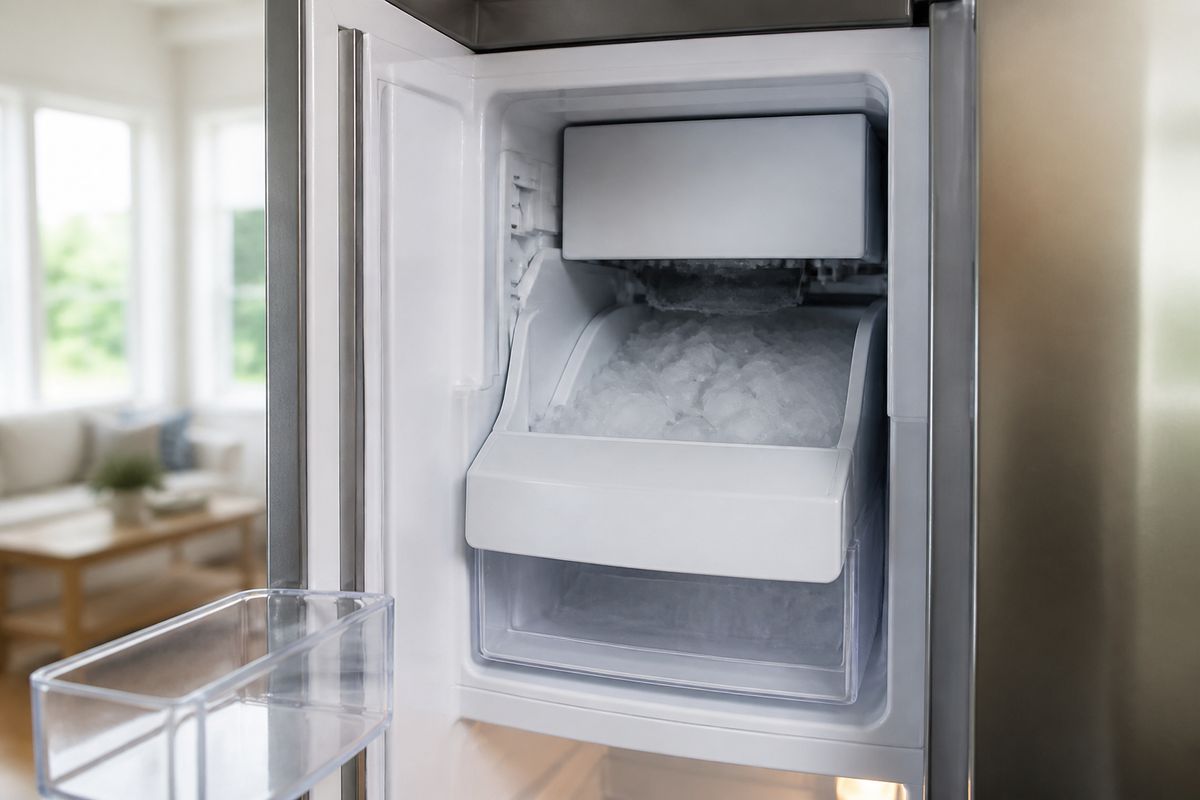
When you open your freezer and find your Samsung ice maker stuck solid, it’s not just annoying—it can also block normal ice production for days. If you’re dealing with Samsung Ice Maker Frozen: Defrost, Reset, and Stop Freeze-Ups, follow a careful thaw approach first, then address the right reset and cause so it doesn’t freeze again.
How to Defrost a Frozen Samsung Ice Maker Without Damage
Use the safest thawing method to melt the ice without cracking plastic parts, warping seals, or forcing water into the wrong places. Slow heat and controlled thawing are the difference between a quick recovery and a recurring blockage.
How to defrost a frozen Samsung ice maker without damage
- Turn Ice Off on the refrigerator control panel (or disable the ice maker mode) to stop additional ice from forming.
- Remove the ice bucket if your model allows access. Unplugging is optional, but turning off ice production prevents repeat jamming.
- Use warm (not hot) water on any visible ice bridge between the bucket and the chute to loosen it.
- If there’s frost on the auger area, use a hair dryer on low held at a distance and move it back and forth until the ice softens and releases.
- Wait at least 30–60 minutes for meltwater to drain or redistribute before restarting ice production.
- Turn Ice On, then allow the first cycle to run; discard the first batch if you see odd taste/texture from thawed meltwater.
Force Defrost a Samsung Ice Maker: When and How to Do It
Not every freeze-up requires force defrost. Use it when the normal cooling cycle can’t clear a blockage—especially when you still have no ice after a safe thaw—because this mode intentionally runs a defrost/harvest procedure that can clear stubborn ice.
When to use force defrost and how to do it
- Use force defrost if you have a confirmed ice blockage (ice maker light stays active, no harvest movement, or ice is stuck in the chute/auger area) and a gentle thaw didn’t restore normal operation.
- Avoid force defrost if you see a standing water leak or signs of electrical damage—resolve leaks and safety issues first.
- On many Samsung models, perform a forced defrost by pressing and holding the Freezer (or Power Freeze) and Fridge (or Lighting) buttons together for 8–12 seconds until the display goes blank and beeps.
- After the panel shows the defrost prompt, press a button repeatedly until the display reads
Fd, then wait for the defrost cycle to run. - When the cycle completes, turn Ice On and wait for ice production to restart.
Full Guide: Force Defrost a Samsung Ice Maker: When and How to Do It
How to Reset Your Samsung Ice Maker (Including Bespoke)
A reset clears minor control glitches after a thaw, power interruption, or repeated harvest failures. It’s also a practical step after clearing a jam so the ice maker can begin a fresh fill/harvest cycle instead of re-sticking on the same stale state.
How to reset your Samsung ice maker (including Bespoke)
- Start with the basics: turn Ice Off, then leave the refrigerator undisturbed for 5 minutes after clearing any visible ice bridge.
- Power-cycle method (works on many models): switch the refrigerator off at the breaker for 1 minute, then restore power.
- If your panel has an Ice Off / Ice On control, switch it Ice Off → Ice On after the thaw.
- For Bespoke models, use the refrigerator’s specific control sequence:
- Open the control panel settings on your exact Bespoke unit.
- Navigate to Ice or Ice Maker options.
- Select Reset (if shown) or toggle Ice Off and then Ice On using the on-screen ice controls.
- After any reset, discard the first one or two batches of ice; ice maker restart and refill commonly take about 24 hours on many setups.
- Confirm the freezer temperature is 0°F (-18°C) for proper ice formation and consistent cycling.
Full Guide: How to Reset Your Samsung Ice Maker (Including Bespoke)
Samsung Ice Maker Freezing Up: Causes and How to Stop It
Recurring freeze-ups point to an underlying issue, not a one-time frozen block. The most common drivers are airflow and ventilation problems, restricted drains, inconsistent freezer temperature, water-supply interruptions, and ice-maker sensor/control faults that keep the unit in a stuck state.
Samsung ice maker freezing up: causes and how to stop it
- Freezer temperature is too warm: Set the freezer to 0°F (-18°C) and keep vents clear so the ice maker zone stays stable.
- Airflow restriction: Move stored items away from the ice maker’s air paths; check that the freezer vents aren’t blocked by frozen or stacked food.
- Drain or meltwater blockage: If meltwater can’t clear from the ice maker area, ice refreezes. Clear visible blockage and let the area fully thaw before restarting ice.
- Water supply issues: Inspect the water valve feed and ensure water pressure is adequate; intermittent flow can contribute to partial freezes and repeated jams.
- Sensor or harvest problems: A fault code like
5EorSE(ice maker sensor) and a flashing ice-maker light often indicate frost-clogged sensing or a stuck harvest. After resolving the blockage (defrost) and resetting, these faults typically clear once normal cycling resumes. - Keep the ice maker area dry after defrosting; recurring frost forms faster when meltwater repeatedly refreezes.
Samsung Bespoke Freezer Ice Build-Up: Fix Frost Buildup
On Samsung Bespoke models, you can see frost or ice accumulation in the freezer area even when the “ice maker” isn’t the only culprit. The fix depends on whether the buildup is limited to the ice chute/auger path or part of a broader frost pattern tied to airflow, temperature control, or freezer sealing.
Samsung Bespoke freezer ice build-up: fix frost buildup
- Identify the source area: if frost spreads beyond the ice chute (back wall, corners, vent area), treat it as a freezer frost problem—not only an ice maker jam.
- Check freezer temperature stability and setpoint accuracy to 0°F (-18°C).
- Ensure the air vents inside the freezer aren’t blocked by containers or frozen items that restrict circulation.
- Inspect door-related causes: confirm the door closes fully and check for a compromised gasket that lets humid air in and freezes on contact.
- If frost is visible near the ice maker chute, defrost that area first, then clear any remaining ice bridge so it stops acting as a “starter” for future buildup.
- If buildup returns quickly in the same zone, move to a broader inspection of seals, airflow paths, and freezer temperature control rather than repeating ice maker-only steps.
Full Guide: Samsung Bespoke Freezer Ice Build-Up: Fix Frost Buildup
Samsung French Door Defrost: When You Can't Remove the Ice Maker
Some French door refrigerators make access difficult, so removing the ice maker assembly isn’t practical. In that situation, you need a defrost approach that clears ice where it’s stuck without forcing parts, breaking plastic components, or creating leaks.
Samsung French door defrost: when you can’t remove the ice maker
- Switch Ice Off on the panel to prevent additional ice production during thawing.
- Use warm water carefully on the accessible ice bridge points around the chute/bucket area. Keep water controlled so it drains rather than pools.
- Use a hair dryer on low to melt frost around the auger/chute region from a distance, keeping it moving so you don’t overheat one plastic spot.
- If your model allows access to a service test area: on many Samsung French-door units, there is a small blue Test button on the underside or right side of the ice bucket assembly—press and hold for about 10 seconds until you hear a chime, then let the unit run its test fill/harvest cycle.
- For stubborn blockage where the ice maker won’t clear after a gentle thaw, switch to the model-appropriate defrost procedure from the forced defrost section.
Full Guide: Samsung French Door Defrost: When You Can't Remove the Ice Maker
Frequently Asked Questions
What should I do first when a Samsung ice maker freezes solid?
Start with a safe thaw. Turn Ice Off, remove the ice bucket if accessible, and loosen the ice bridge using warm (not hot) water and/or a hair dryer on low for frost near the chute. Once the ice maker area is clear enough to move and drain, restart ice production. If it still won’t harvest normally, move to the reset step and then troubleshoot recurring freeze-up causes.
Is force defrost safe for every Samsung refrigerator?
No. Force defrost is most useful when a clear jam is preventing normal harvest or when gentle thawing doesn’t restore operation. Use it only when your symptoms match a stubborn ice blockage that needs a defrost/harvest cycle, and avoid force defrost if you have evidence of leaks, electrical issues, or damaged components.
Why does my Samsung ice maker keep freezing up?
Recurring freeze-ups usually come from airflow or ventilation problems, drainage or meltwater blockage, inconsistent freezer temperature, water supply interruptions, or ice-maker control/sensor faults. When freeze-ups repeat, treat it as an underlying system problem and check the freezer temp, vents, water feed, and any fault codes tied to the ice maker.
Can I reset a Samsung Bespoke ice maker the same way as other models?
Sometimes the process overlaps, but Bespoke units can use model-specific controls or reset paths. Follow the steps for your Bespoke refrigerator line by using the ice-related controls on the panel (Ice Off/Ice On and any on-screen reset options). If you don’t see a dedicated reset option, use the power cycle method and then restart ice production through the ice controls.