Samsung Bespoke Ice Maker Frost Buildup: Fix Freezer Ice Build-Up
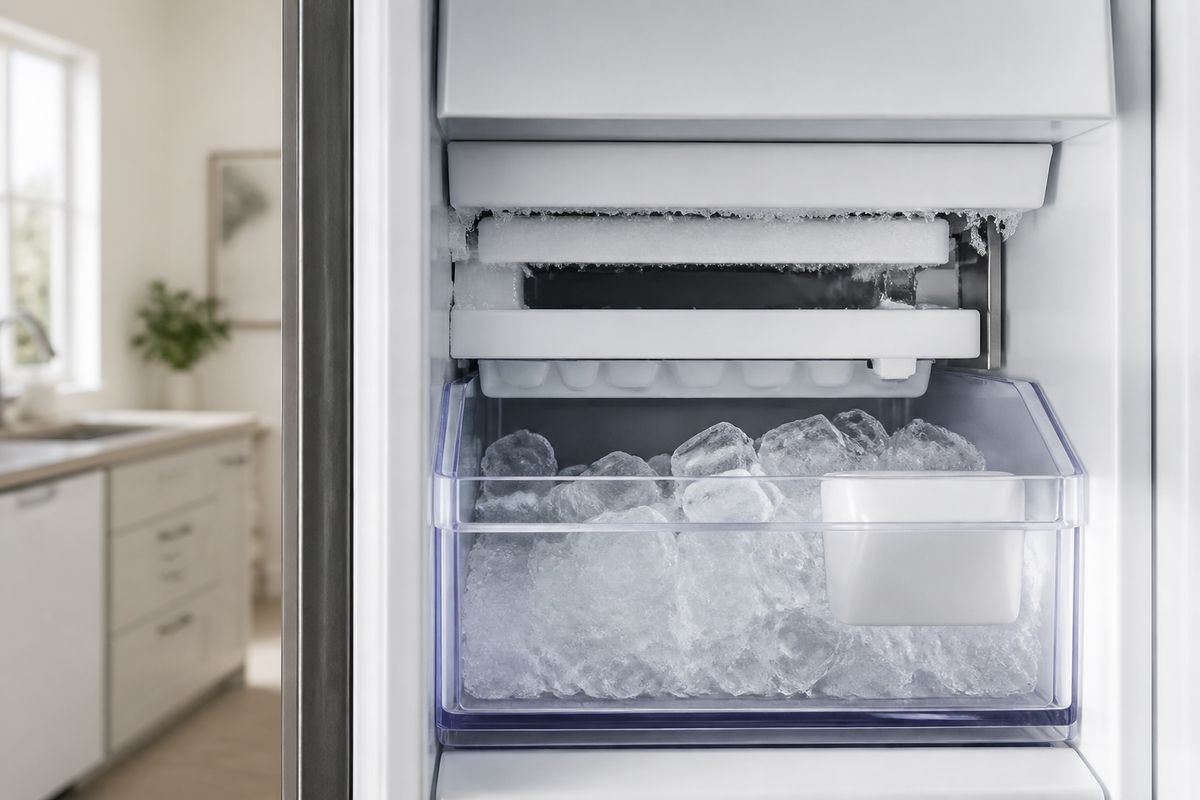
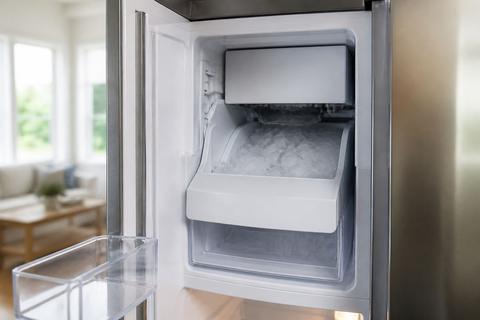
If you’re dealing with samsung bespoke ice maker frost buildup, you’ve probably opened the freezer only to find ice creeping around the ice maker area, the fan housing, or the ice chute. That frost blocks airflow and can trap meltwater, which makes the problem return faster than you’d expect. The good news: most causes come down to airflow, moisture, and drainage—and you can fix them methodically.
For more help, see our Samsung Ice Maker Frozen: Defrost, Reset, and Stop Freeze-Ups guide.
What’s Causing the Ice Buildup
How frost forms inside a Samsung freezer
Frost forms when warm, moist air enters the freezer and hits cold surfaces near the ice maker, fan housing, or evaporator area. Water vapor freezes on contact, then builds up into thicker ice over time. With restricted airflow, ice crystals become more persistent because the area stays colder longer and meltwater has fewer clear paths to escape.
To identify this pattern, watch for frost that grows in the same spots after defrosting. If the ice maker area or the nearby fan cover accumulates ice first, the problem is almost always moisture freezing where air movement and drainage aren’t doing their job.
Why the ice maker can ice over
The ice maker can ice over when it repeatedly produces or spills small amounts of water that freeze before it drains properly. Common culprits include a clogged or frozen fill tube, a harvest path that can’t release ice cleanly, or a defrost system that doesn’t melt accumulated frost from the evaporator section. When that happens, the ice maker compartment stays in a cycle of freeze-and-block.
Once ice forms around the ice maker assembly, it also interferes with moving parts and can disrupt the sensor readings that control ice production. The result is a freezer that looks “normal” until the buildup forces airflow and water flow problems to become visible.
Signs the problem is airflow, moisture, or a drain issue
Use these clues to pinpoint which system is failing:
- Airflow issue: Frost concentrates around the fan area, and you notice reduced circulation or a fan that sounds strained.
- Moisture issue: Frost appears quickly after frequent door openings, warm food storage, or a door seal that doesn’t compress evenly.
- Drain issue: Water collects at the bottom of the freezer compartment (or refreezes into a sheet), and ice forms near where meltwater should go instead of away from it.
If the buildup returns within a day or two of clearing it, focus on defrost performance, drain clearing, and ice-maker water-path freezing—those are the fastest repeaters.
Quick Checks Before You Troubleshoot Deeply
Confirm the door is sealing all the way
A poor door seal lets warm, humid air enter, which turns into frost around the coldest spots—including the ice maker and fan area. Perform a quick seal check before you open up anything.
- Close the freezer door on a strip of paper (or a thin bill) so half stays inside.
- Gently pull the paper; it should resist smoothly without sliding out easily.
- Repeat along all sides of the gasket (top, bottom, and corners).
If the paper slips out freely on any section, adjust the door alignment (if your model supports it) or replace the gasket. Even a small leak at one corner can trigger samsung bespoke ice maker frost buildup again.
Check temperature settings and recent changes
Ice freezes faster—and frost becomes harder to clear—when the freezer runs colder or unstable than intended. Check the freezer temperature setting and any recent changes, such as moving the dial, switching modes, or powering down the unit.
- Set the freezer to 0°F (-18°C).
- Wait long enough for stabilization (at least several hours after changes, not minutes).
- If the temperature display shows unusual behavior or jumps, correct the setting and observe whether the frost rate changes.
If you recently increased freezing power (or ran “Power Freeze” for a long time), reduce it back to the normal setting. Excessive cold with frequent moisture entry accelerates ice formation.
Look for blocked vents, overpacked bins, or warm food
Air has to move through the freezer evenly. Blocked vents create cold spots that freeze moisture faster, especially near the ice maker area.
- Remove items blocking vents behind or near the ice maker compartment.
- Ensure bins aren’t packed so tightly that air can’t circulate around them.
- Cover warm or hot items before placing them in the freezer—warm air is moisture, and moisture is frost.
If you recently stored uncovered liquids or added large amounts of warm food at once, the frost may be a direct result. Correct airflow and moisture load before you proceed to defrost-system steps.
Fixing Frost Around the Ice Maker and Fan Area
Power down and safely thaw the affected section
Before clearing ice, you need to thaw it safely so you don’t damage the liner, fan housing, or ice maker assembly. Don’t chip ice off with metal tools.
- Turn the ice maker Off using the refrigerator’s ice control (or switch off the ice maker function on the panel).
- Remove the ice bucket and any loose ice fragments.
- Unplug the unit or switch off power at the wall if you can safely access it, then let the affected area thaw.
- Use towels to catch meltwater and wipe the area as it loosens.
If you’re in a hurry, place towels around the area and use warm air from a hair dryer on low, keeping it moving and never heating one spot for long.
Inspect the evaporator fan area for ice blockage
The fan area is a common frost target because airflow carries moisture and heat around that section. When the fan housing gets packed with ice, circulation drops and frost accelerates.
- With the area thawed enough to see parts clearly, check the fan blades and fan cover for a solid ice plug.
- Remove loosened ice only after it melts; do not pry against plastic housings.
- Ensure the fan can rotate freely once ice is gone and meltwater is cleared.
If the fan won’t spin after thawing, frost may still be buried deeper. Continue thawing rather than forcing the blades—forcing can break the fan motor or wiring.
Clear the drain path so meltwater can escape
A clogged drain traps meltwater, which refreezes and expands into new frost. Your goal is to restore the path meltwater uses after defrost cycles.
- Locate the freezer’s defrost drain channel near the bottom/back area (often under an interior panel or cover).
- Use warm water to flush the drain opening gently, allowing water to flow through rather than pooling.
- If you have a drain tool included with the fridge or a small tube designed for cleaning, use it carefully with warm water.
Stop if you find a solid blockage you can’t clear safely—continued force can push ice deeper. Restore drainage first so thawed moisture doesn’t immediately come back as ice.
Common Samsung Bespoke Ice Maker Fixes
Reset the ice maker and run a fresh cycle
A reset clears stuck states and helps the ice maker start with a clean sensor baseline after you thaw the assembly.
- If your Samsung model has an Ice Off option, set it to Ice Off first, then switch it back to Ice On.
- Remove and re-seat the ice bucket so the ice maker detects its position.
- Use the ice maker test function if available: on many Samsung models there’s a small Test button on the underside/right side of the ice bucket assembly—press and hold about 10 seconds until you hear a chime, then allow the test to run.
After reset, discard the first one or two batches to ensure any thawed water or debris doesn’t enter your bin.
Check for a clogged or frozen water fill tube
Even when the freezer is cooling properly, a frozen fill tube can keep water from reaching the ice maker or cause overflow that refreezes. Focus on the water pathway that feeds the ice maker.
- Inspect the fill tube area for visible ice where water enters the ice maker.
- If you see a freeze point, thaw it with gentle warm air (hair dryer on low, moving constantly) or by resting warm towels nearby.
- After thawing, ensure the tube isn’t kinked and that it is fully connected to the ice maker inlet.
If water still doesn’t reach the ice maker after thawing, the issue may be water supply pressure or a failed fill valve rather than the freezer frost itself.
Replace a damaged water filter and recheck water flow
A bad or clogged water filter restricts flow and changes ice maker behavior—restricted flow can lead to incomplete fill and freezing inconsistencies.
- Find the water filter housing and remove the old filter.
- Install a new Samsung-compatible filter (matching your model’s filter code).
- Run the water dispenser (if your model has one) until flow stabilizes, then restart ice production.
Allow up to 24 hours for the ice maker to refill and resume normal production. Also ensure your freezer is maintaining 0°F (-18°C), because ice production fails if the freezer isn’t cold enough.
Preventing Frost From Coming Back
Keep humidity under control and avoid frequent door openings
Most repeat frost buildup starts with moisture entering the freezer. Reduce the amount of warm, humid air that can contact cold surfaces.
- Minimize how often you open the freezer door.
- When you do open it, pull out what you need quickly and keep the door open for the shortest time possible.
- Store food in sealed containers, especially items that release moisture.
If you’ve recently started frequent garage/freezer access or family use patterns, that moisture load will show up as faster frost growth around the ice maker compartment.
Leave space for air to circulate inside the freezer
Ice makers depend on consistent airflow. When the freezer is overpacked or vents are blocked, cold spots form and frost builds where airflow can’t clear moisture.
- Keep at least a small gap around vents and near the back wall area where air moves.
- Don’t pack bins tightly enough to press against vent covers or ducting.
- Rotate items so you’re not constantly blocking the same cold path.
Good airflow also helps the defrost system work as designed, reducing trapped meltwater that refreezes.
Use the right temperature settings for the season
Seasonal temperature changes affect how hard the refrigerator has to work and how much moisture enters. Keep settings steady and avoid unnecessary “max freeze” modes long-term.
- Keep the freezer at 0°F (-18°C) as your baseline.
- Use Power Freeze/Power Cool only for short periods when loading large amounts of food.
- Avoid drastic temperature swings that can create repeated condensation and freeze cycles.
When settings are stable and moisture entry is controlled, frosting around the ice maker and fan area slows dramatically.
When the Problem Points to a Part Failure
Signs the defrost system may be failing
If the evaporator never fully clears frost, ice will build in the same region repeatedly, including around the ice maker and fan area. Defrost problems often show up as persistent frost even when airflow is correct and the door seals are good.
- Frost returns quickly after you thaw it (within 1–3 days).
- You notice unusually heavy buildup at the evaporator area or behind interior panels.
- The freezer temperature struggles to stabilize despite correct settings.
In these cases, the defrost system components—heater circuit or control—may not be melting ice as required.
When a fan, heater, or sensor may need replacement
Persistent frosting plus abnormal fan behavior points to a component issue rather than user loading or door leaks.
- Fan: If the fan is noisy, stops intermittently, or doesn’t blow air, the fan motor or fan control may need replacement.
- Heater: If frost remains after defrost cycles (and drain lines are clear), the defrost heater may be failing.
- Sensor/control: If the unit repeatedly mismanages defrost based on readings, a defrost temperature sensor or control board can be the cause.
Look for model-specific fault behavior on the display and internal status lights; ice maker ice over plus defrost-related symptoms usually requires parts service.
When to call Samsung support or a technician
Call for service if basic fixes don’t stop repeat frost buildup or if you see persistent electrical or sensor faults.
- Frost returns quickly after thorough thawing and drain clearing.
- The ice maker fan is not running or runs but airflow remains weak.
- The ice maker won’t harvest ice (ice keeps backing up) or water keeps freezing in the fill tube.
- You see ice maker error indications—on many Samsung units, an error like 5E/SE (ice maker sensor fault) often accompanies a flashing ice-maker light.
A technician can test heater/defrost circuits, sensors, and ice maker control to stop the cycle safely without damaging components.
Frequently Asked Questions
Why is my Samsung Bespoke ice maker building up frost?
The most common causes are warm, moist air entering the freezer, a door seal problem, a blocked drain, or a defrost issue that lets ice accumulate around the ice maker or fan area.
Can I just chip the ice off the Samsung freezer?
You can remove loose frost carefully, but never use sharp tools or force ice off parts. It’s better to fully thaw the area so you do not damage the liner, fan, or ice maker assembly.
Why does ice build up around the freezer fan?
Ice around the fan usually means moisture is freezing where airflow is restricted, or meltwater is not draining properly. A stuck door seal, clogged drain, or failed defrost cycle can cause it.
How do I stop my Samsung refrigerator from icing up again?
Make sure the doors close tightly, avoid overfilling the freezer, keep vents open, replace a weak water filter, and fix any drain or defrost problems before they turn into repeat frost buildup.
When should I call for service?
If frost returns quickly after defrosting, the fan is noisy or not running, water keeps freezing in the fill tube, or the unit will not maintain normal temperature, it’s time for a technician.