GE Profile Opal Ice Maker XPIO13SCBSS: Parts, Codes, Fixes
If your ge profile opal ice maker xpio13scbss suddenly stops producing ice or delivers cloudy, inconsistent nuggets, you’re not alone. Opal machines are sensitive to water quality, cleaning intervals, and clogged internal flow paths—so the fix depends on the symptom you see. Use this guide to identify your exact model, interpret the unit’s signals, and choose the right repair or parts replacement without guesswork.
For more help, see our GE Ice Maker Resets, Lights, and Error Codes guide.
Identify Your Model and Match the Right Parts
Confirm the exact model number on the rating plate
Start by locating the rating plate on your Opal. It’s typically on the back or underside of the unit. Write down the full model number (for example, XPIO13SCBSS) and the serial number. This matters because GE uses closely related Opal families that share many components, but not every part is interchangeable—especially control board variants, internal assemblies, and some sensor/tank components.
Next, check whether you have the countertop Opal style (nugget ice) and whether your unit uses a side tank/reservoir—this affects which tubing, valves, and filters fit.
How XPIO13SCBSS differs from similar Opal model codes
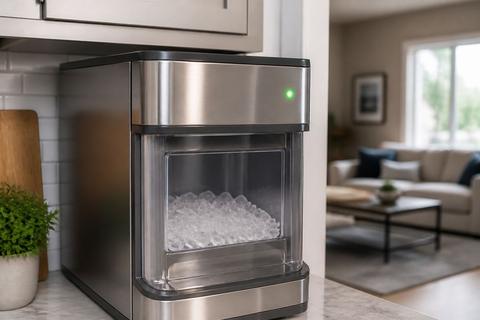
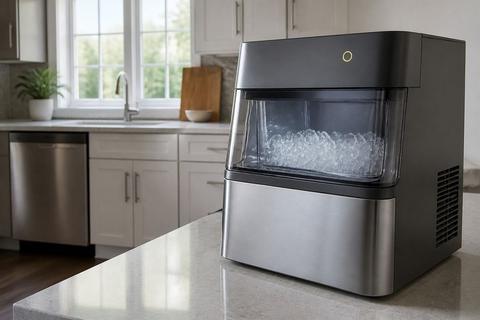
XPIO13SCBSS belongs to the Opal nugget ice maker line where styling and internal revisions can vary by suffix. Similar codes may share the same auger, ice bin, and basic cleaning routine, but small differences can change compatibility for parts like the side tank/reservoir, water inlet tubing, control board, or sensor assemblies.
Because of that, don’t rely on “looks the same” when ordering. Treat the exact model as the source of truth, then match parts by the model/serial fitment chart from GE or the part supplier.
Find compatible replacement parts without guessing
To avoid ordering the wrong component, collect three details before you buy:
- The full model number (including the full suffix) from the rating plate.
- The serial number (often required for revision-level matching).
- The symptom (no ice, slow production, cloudy ice, leaking, or error lights).
Then search using the model/serial, not just “Opal ice maker part.” If you’re replacing anything water-related, prioritize parts explicitly listed for your model to ensure the tubing connectors, seals, and valves match your unit’s revision.
Use the Manual to Understand Setup and Maintenance
What the manual covers: installation, cleaning, and operation
The manual is your fastest path to the correct maintenance schedule and the exact operational steps for your specific Opal configuration. Focus on the sections covering: (1) initial setup, (2) how to run a cleaning cycle, (3) how to refill the reservoir/side tank, and (4) how the machine transitions between freeze and harvest.
Use the manual’s guidance for ice thickness/production expectations, because Opal performance changes when water paths scale up. Also follow the manual’s recommended cleaning frequency and the correct cleaner type—wrong products can leave residue that affects taste and clarity.
Quick-start checks for water, power, and placement
Before deeper troubleshooting, verify the basics the manual emphasizes:
- Place the unit on a stable, level surface so the reservoir and water path feed correctly.
- Confirm the unit is plugged directly into a functioning outlet (avoid overloaded power strips).
- Ensure the water reservoir/side tank is filled to the indicated level.
- Make sure the water supply line (if your setup uses a plumbed connection) isn’t kinked and reaches the unit without restriction.
Then give the machine enough time for a full freeze cycle. If the room is cold or the unit is in a drafty area, ice production can slow because the unit needs consistent operating temperatures.
Where to look when the machine is not making ice
When the Opal stops making ice, the manual’s symptom flow usually points you to water flow and sensor/harvest issues first. Use this sequence:
- Check that the unit shows “ready” status (lights/indicators) and that the reservoir is not empty.
- Inspect the water path for obvious blockage—especially around the reservoir outlet and any inlet lines accessible without disassembly.
- Confirm the machine can complete a harvest cycle; stuck auger movement can stop ice dispensing and freeze progression.
- Run a Clean cycle if you’ve skipped maintenance or ice quality changed recently.
If the unit triggers an error pattern, proceed to the symptom decoding section rather than repeatedly cycling power.
Decode Common Symptoms and Error Signals
What cloudy ice usually means and how to fix it
Cloudy ice on an Opal is a clear sign the unit’s water path or freezing process is compromised. The most common causes are mineral scale, trapped air from restricted flow, or dirty internal components that disturb the ice-making surface.
To fix it:
- Run the machine’s Clean cycle using the recommended Opal cleaner (or a vinegar-water solution if you’ve been instructed to do so).
- Use fresh filtered water if you have a household filter; cloudy ice often improves quickly after removing scale.
- Ensure the reservoir is filled and not drawing air from a low level.
- After cleaning, dispense a few batches to purge loosened residue.
If cloudiness continues after a proper clean, suspect a failing filter setup, restricted inlet, or recurring scale due to water hardness.
Meaning of common lights, beeps, and status changes
Opal uses light patterns and audible signals to indicate what step the machine is stuck on. The exact pattern can vary by firmware revision, but the operational meaning remains consistent: you’ll typically see alerts related to cleaning due, low water in the reservoir/side tank, or a harvest/dispense problem.
When your unit beeps or flashes:
- Look for a “clean” indicator first—if it’s on, run the Clean cycle instead of trying repeated manual harvests.
- If the low-water or side-tank indicator is present, refill to the marked line and ensure the reservoir is seated correctly.
- If the status indicates a harvest issue, inspect for jammed ice and stuck auger movement before cleaning parts out of sequence.
How to tell a clog, scale buildup, or water issue apart
Different failures create different symptoms, and separating them saves time. Use these clues:
- Scale buildup: ice clarity worsens over time; cleaning improves results; production slows gradually.
- Clog/water path restriction: you may see repeated low-water/flow-related indicators, inconsistent batch sizes, or slow dispensing even when the reservoir looks full.
- Air in the line or feeding problems: cloudy ice appears soon after a refill or water filter change; the machine may produce smaller batches.
- Sensor/harvest jam: the unit may stop during harvest; you’ll often see ice stuck in the chute or difficulty dispensing.
Once you identify which bucket the symptom fits, move to the most relevant fix path below.
Repair the Most Common Ice Maker Problems
Fix low ice production and slow freezing
Low output is usually water flow restriction or insufficient heat transfer caused by scale. Do this in order:
- Clean the unit using a full Clean cycle with Opal Nugget Ice Maker Cleaner (or the manual-approved alternative).
- Check your water source: if you use a household filter, replace it if it’s past ~6 months or clogged. A starved inlet slows freezing.
- Confirm the unit environment supports cycling: the freezer area must be cold enough (for countertop Opal, keep room conditions stable and avoid blocking vents).
- Inspect the reservoir seating and ensure the reservoir feeds without drawing air.
After cleaning, run a few dispense cycles; ice quality and volume should improve if flow and scale were the root cause.
Clear jams, stuck augers, and dispensing issues
If ice won’t dispense or batches don’t move through the chute, you likely have a mechanical jam or auger stoppage.
- Power the machine down by unplugging it.
- Remove any visible ice buildup around the dispensing area and chute.
- Check the ice path for obstructions—especially at the transition points where nuggets accumulate.
- Look for an auger that won’t rotate freely; remove stuck ice fragments that can lock the mechanism.
- Restart and run a harvest/production cycle as directed in the manual.
If the auger is physically damaged or the jam repeatedly returns immediately after cleaning, the next step is inspecting internal components and sensors.
Solve leaks, strange noises, and water reservoir problems
Leaks and noises point to seals, connections, or overflow/overfill conditions. Fix them systematically:
- Empty and clean the reservoir/side tank and re-seat it firmly to prevent misalignment.
- Inspect tubing connections and inlet fittings for loose or cracked sections; water will track from the highest pressure point.
- Check the drain/collection area (if accessible) for standing water caused by incomplete discharge.
- For strange grinding or repeated thumping, stop the machine and remove ice around the auger and dispenser—jams can force components out of their normal motion path.
If you find water pooling near a specific fitting, replace only the compromised seal/tubing listed for your model rather than loosely tightening parts that may already be worn.
Replace Wear Parts Safely
Water filter, side tank, and tubing checks
Wear items often solve the problem faster than deep internal repair. For XPIO13SCBSS, start with the highest-impact flow parts:
- Replace the water filter if it’s clogged or past its recommended life. Many Opal performance issues trace back to restricted flow.
- Check the side tank/reservoir for cracks, deformation, or warped seals—any air leak can cause cloudy or inconsistent ice.
- Inspect tubing for kinks, brittleness, or loose connectors; water restriction can look like low-water errors.
- After replacement, run a short production/dispense cycle to purge air from the water path.
Use the exact part number or model-specific fitment to ensure connector sizes and seal materials match.
Ice bin, sensors, and internal components
If cleaning and water parts don’t restore normal operation, move to sensing and ice transfer components.
- Inspect the ice bin and level-related components for damage or misalignment; incorrect ice level detection can stop production.
- Check for sensor faults by clearing any residue or ice dust at sensor locations (follow manual instructions so you don’t damage wire leads).
- If harvest is repeatedly interrupted, inspect internal movement points for wear or obstruction.
- Replace sensors, gaskets, or controlled assemblies only when the part is confirmed compatible with XPIO13SCBSS by model/serial.
When replacing internal parts, work with the unit unplugged and keep track of fasteners and connectors to avoid misrouting lines.
When a part swap is worth it versus replacing the unit
Part replacement is most cost-effective when the problem is localized: clogged flow parts, worn filters, a damaged seal, or a specific sensor failure. It’s less cost-effective when multiple systems are failing or when cleaning no longer improves scale-related performance.
As a rule:
- If a single replacement (filter, tubing, reservoir seal, or one sensor) restores reliable ice production, it’s worth swapping.
- If you keep getting recurring jams, leaks, or repeated harvest failures after correctly fixing the likely cause, the control board or multiple internal wear components may be involved—at that point, compare repair cost to replacement.
Use the manual’s troubleshooting logic first so you don’t replace parts for symptoms caused by another root issue.
Troubleshoot Similar GE Profile Opal Models
How the same fixes apply across closely related model numbers
Many Opal nugget ice maker issues share the same underlying causes: mineral scale, restricted water flow, low reservoir level/air ingestion, or mechanical jams that interrupt harvest and dispensing. That’s why cleaning cycles, water filter replacement, reservoir seating, and chute/auger jam removal are core fixes across closely related models.
When troubleshooting another Opal code in your family, keep the process consistent: address water flow and scale first, then handle mechanical harvest/dispense problems. If the symptoms match, the same parts category and cleaning steps usually apply.
What to verify on XPIO13SCESS, XPIO13SCSS, and XPIOX3SCSS
Even with shared foundations, you need to confirm compatibility and operational differences:
- Verify the exact model on each unit’s rating plate before ordering parts.
- Compare which indicators you see for “clean,” “water/side tank low,” and harvest/dispense errors—some trims use slightly different alert labeling.
- Check whether the unit layout (reservoir access points, tubing routing, and sensor placement) matches your replacement part.
- Follow the manual for that specific model when running cleaning or reset steps.
If the parts supplier indicates a different revision for the same component, trust the model-specific fitment.
When model differences change the part or reset steps
Differences between Opal suffixes can affect: control board revision, sensor harness routing, and certain internal assembly variants. That means one model might need a specific reset method (such as a particular Clean cycle trigger), while another requires a different sequence.
Use this rule: only reset using the procedure shown for the model you’re repairing. If your unit’s lights or behavior don’t match the expected Clean/harvest steps, stop and look up the correct reset guidance for that model code—using the wrong reset sequence can delay the real fix.
Prevent Repeat Failures
Best cleaning routine for scale and mineral buildup
Prevent scale from becoming the root cause by cleaning on schedule and cleaning correctly. Use this approach:
- Run the manufacturer-recommended Clean cycle with Opal cleaner so descaling runs through the full water path.
- Complete the rinse step exactly as directed to remove any cleaner residue that can affect taste and ice clarity.
- If your water is hard, increase cleaning frequency rather than waiting for ice quality to degrade.
- After cleaning, dispense a few batches so any loosened scale clears from internal passages.
Consistent cleaning keeps freezing efficient and reduces clogs that cause slow production.
Water quality, filter care, and ice clarity tips
Water quality directly affects clarity, taste, and scale speed.
- Use filtered water where possible, and replace the household filter on schedule (commonly around the 6-month mark or sooner if flow drops).
- Keep the reservoir clean and avoid topping off repeatedly without cleaning when you notice buildup.
- After filter changes or reservoir refills, dispense a few batches to purge air and initial mineral concentrate.
- If ice becomes cloudy quickly after refilling, treat it as a flow/air or water-quality issue first, not a mechanical problem.
Clear, consistent nuggets are the best indicator your water path stays clean.
Simple habits that extend compressor and pump life
Operational habits reduce strain on the machine’s moving and cycling components.
- Don’t leave the unit running empty—always keep the reservoir filled to the indicated level.
- Avoid repeated manual harvest cycles when you suspect a jam; clear obstructions first to prevent repeated overload.
- Keep the area around the unit unobstructed so it can maintain stable operating conditions.
- Clean the unit on time so mineral buildup doesn’t force the pump/valves to work harder.
These habits reduce internal stress that leads to noisy harvests, slow production, and repeated errors.
Frequently Asked Questions
Why is my GE Profile Opal ice cloudy?
Cloudy ice usually points to minerals, trapped air, dirty water paths, or incomplete freezing. Start with a thorough cleaning, fresh filtered water, and a check for scale buildup or a failing filter.
Is XPIO13SCBSS the same as other Opal model numbers?
Not always. Similar Opal codes can share many parts and fixes, but small differences in trim, controls, or internal components can change compatibility. Always confirm the full model and serial label before ordering parts.
Where can I find the manual for my GE ice maker?
Look for the model number on the rating plate, then search the manufacturer support page or the product documentation included with the unit. The manual is useful for setup, cleaning intervals, and error guidance.
What should I check first if the machine stops making ice?
Check power, water supply, tank level, placement, and whether the unit needs cleaning. If those are fine, look for clogged lines, sensor issues, or signs of scale buildup.