How to Turn Off GE Monogram Ice Maker and Stop Ice
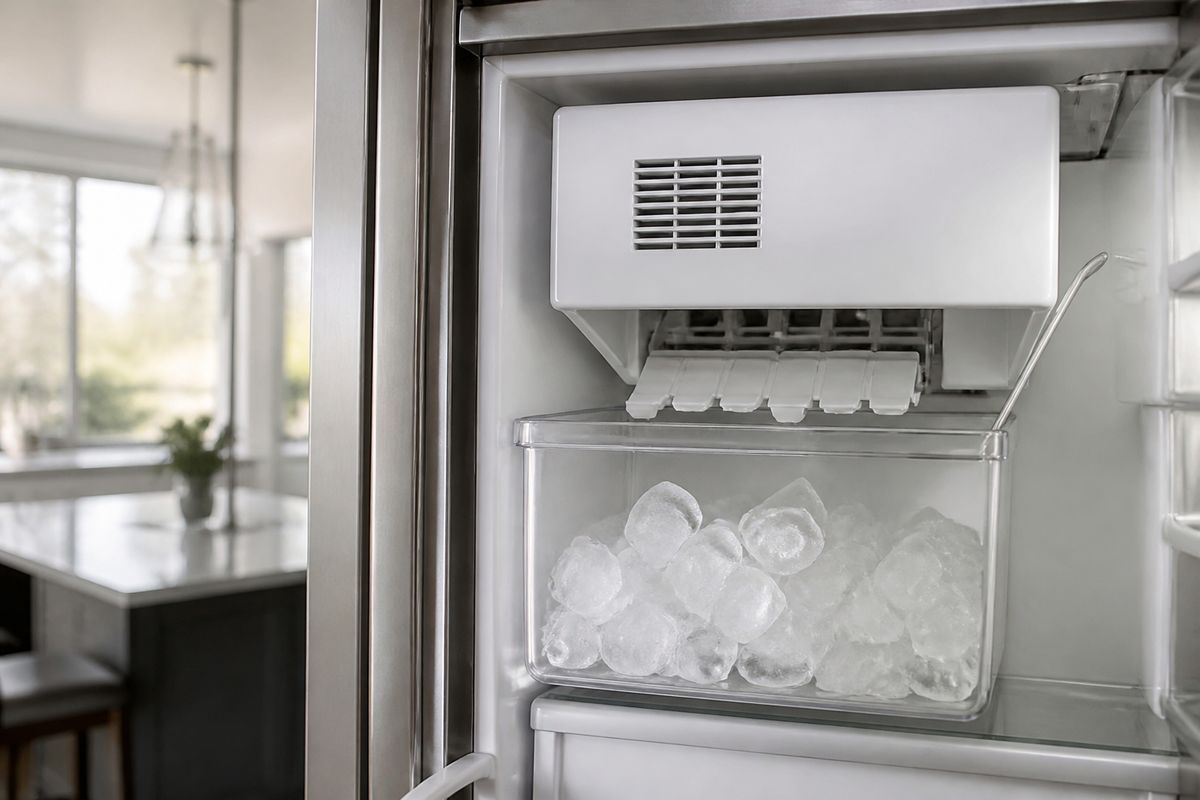
Figuring out how to turn off ge monogram ice maker is frustrating when you’re tired of overflowing bins or you just need to stop ice production for a while. GE Monogram units can use different shutoff controls—some respond to a switch or arm, while others require a setting change in the refrigerator panel. If you do it the right way, you stop ice without disrupting the rest of your fridge.
For more help, see our Install, Replace, and Maintain a GE Ice Maker guide.
Find the Right Shutoff for Your Model
Check for the ice maker switch or power arm
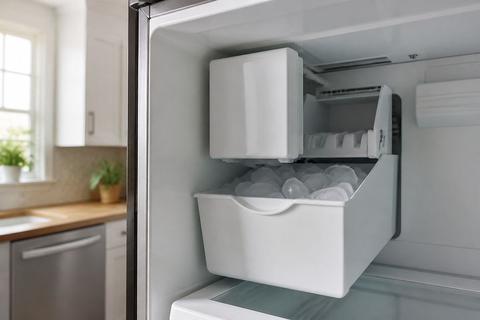
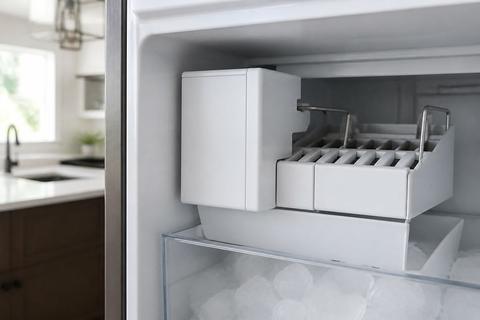
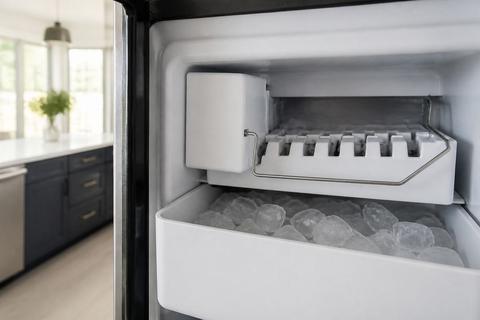
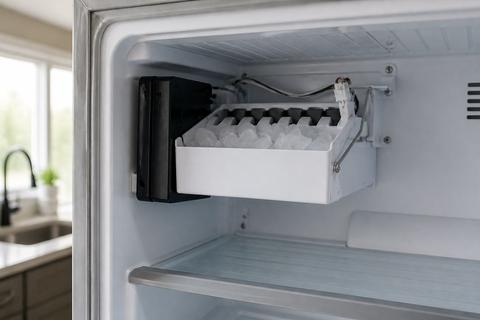
Start by locating the ice maker in the freezer and identifying its local shutoff. Many GE Monogram ice makers use a feeler arm (wire bail) inside the ice maker; raising the arm stops ice production, while lowering it allows harvesting to continue. If the arm is already raised, ice may be paused—if it’s stuck up due to packaging or ice, push it gently down to its normal position and then raise it again only when you want to stop ice. Some models also include a small cover on the ice maker with a visible status LED or switch.
Look for the on/off symbol on the control panel
If your model includes a control for ice-making, find the ice-related icon on the refrigerator display. Look for labels like “Ice,” “Ice Maker,” or a power/ice symbol near the ice controls. Use the ice maker control to switch ice production off rather than changing freezer temperature. On touchscreen models, open the ice settings menu, then select OFF or a “no ice” option. On knob/button panels, press the ice maker button until the display indicates it is disabled.
Identify the model type before you start
Before unplugging anything, identify which Monogram ice maker style you have so you use the correct shutoff method. Check the model number on the inside wall of the refrigerator (often near a door hinge) or on the door frame label, then match it to the ice maker type: built-in freezer ice maker with arm, ice maker with a front-access switch/status light, or a modular ice system. Knowing the model prevents unnecessary resets and keeps you from turning off the wrong component.
Turn Off the Ice Maker Safely
Use the control switch to stop ice production
Use the built-in ice maker control to stop ice production first. For arm-type units, raise the feeler arm fully until it rests in the off position. For switch-type modular ice makers, slide the switch to OFF (or to a state marked “0”) if your unit uses a power slider, or press the recessed control button near the LED if that’s what your cover provides. Keep the freezer running normally so the ice maker can safely finish any partial harvest it has in progress.
Disable the ice maker from the refrigerator settings
If your Monogram has ice settings in the refrigerator controls, disable the ice maker from the panel. Open the main settings area (often under Refrigerator Options), then select Ice Maker and choose OFF or Disable. Some models include toggles for “Ice” and “Water,” so choose ice off without disabling water delivery unless you also want water to stop. Use the display to confirm the ice icon changes to OFF/disabled, since that’s the signal the control system has stopped calling for ice.
Unplug the ice maker only when appropriate
Unplugging is the backup option when switch or settings controls do not work. Only unplug if the ice maker has an accessible connector or service plug and you can reach it without pulling on wiring. Wait several minutes before re-plugging so the control board fully powers down and restarts cleanly. After unplugging, the refrigerator still runs; only the ice maker stops. If you need ongoing ice stoppage, prefer the built-in off control rather than cutting power.
If the Ice Maker Keeps Running
Reset the ice maker after turning it off
If ice continues after you’ve disabled it, the control may be mid-harvest. Turn the ice maker off using the arm or panel, then perform a reset sequence appropriate to your unit. For many modular systems, the reset is done by turning the unit off and then back on via the ice maker control; for arm-type models, raising the arm again after a short wait forces the system to re-evaluate the bin-full/off state. If your ice maker has a front test/restart button next to the LED, use it to complete a cycle only after confirming the OFF command is set.
Inspect the water supply and fill valve
A running cycle can happen when the water system keeps satisfying the ice maker’s call for water. Check the water supply line for a kink and confirm the saddle valve (if present) is fully open. If the ice maker dispenses water to fill and you recently replaced a filter, air in the line can cause inconsistent behavior—run a few dispense cycles after servicing. Also inspect for freezing conditions at the inlet: if the freezer is too warm or the water line is restricted, ice production can stall, while the control system keeps trying to feed.
Confirm the freezer temperature is not triggering cycle issues
GE ice makers need adequate freezing conditions to complete the cycle; freezer settings outside the target range can cause repeated attempts. Set the freezer to about 0 to 5 degrees F so the ice maker can harvest properly. If the freezer door has been left open, airflow is blocked, or the freezer temperature is set too warm, the ice maker can appear to keep cycling without producing what you expect. Adjust the freezer temperature, then allow time for the temperature to stabilize before re-checking the ice maker state.
Common GE Monogram Ice Maker Problems
Why the ice maker may seem stuck on
When the ice maker seems “stuck on,” the most common cause is the shutoff input not actually being applied. For arm-type units, ice can block the arm so it never reaches the raised stop position. For switch-based units, the switch may not be fully slid to OFF, or the control cover’s LED indicates the unit is requesting service. Clean any ice buildup around the arm and ensure the arm moves freely. If it still ignores the off state, the issue may involve the sensor or control system reading the bin status incorrectly.
What to do if no ice is being made
If you turned it off and then back on, or you’re trying to stop ice and it’s already failing to make any, start with the most likely causes: water supply and temperature. Replace a clogged or old water filter (GE XWF, XWFE, or MWF series filters are common) if it’s past about 6 months; a starved ice maker won’t get enough flow. Then check the freezer temperature is around 0 to 5 degrees F. Finally, ensure the water line has flow and isn’t kinked or frozen, and run a few dispense cycles to purge trapped air after changes.
When the bin is full but the ice maker keeps cycling
If the ice bin looks full yet the unit keeps attempting cycles, the bin-full sensor or ice level detection can be failing. Inspect for ice clumps that prevent normal bin movement, and remove packed ice so sensors can detect correctly. Also confirm the ice maker is not obstructed by the bin’s alignment or a mis-seated ice container. If the freezer temperature is too warm, ice can melt and refreeze inconsistently, confusing sensor readings. Persistent cycling with an obviously full bin points to a sensor/control issue.
How to Stop Ice Temporarily Without Removing the Unit
Pause ice making during vacations or long trips
To stop ice production during vacations without removing the ice maker, use the dedicated ice maker OFF control rather than turning off the refrigerator. Raise the ice maker’s feeler arm or switch the ice maker setting to OFF on the panel so the system stops calling for ice. Keep the freezer running so food stays safe, and the unit won’t dump extra ice while you’re away. If you want to prevent ice buildup, periodically check that the arm remains in the off position and isn’t pushed by items in the freezer.
Prevent accidental activation after cleaning
After cleaning the ice maker area, accidental activation can happen if the arm is returned to the down position or the panel setting changes. After wiping the compartment and reinstalling the ice bin, verify the ice maker control is still set to OFF and that the arm rests in the off position. Avoid leaning objects against the ice maker cover that could shift internal components. If your unit has a status LED, confirm it reflects the off/disabled state rather than cycling status.
Avoid shutting off features you still need
When you stop ice, do not disable the refrigerator or freezer functions. Turning off the refrigerator power can cause temperature swings, risking food spoilage and longer restart times. If your model offers separate controls, disable ice production only—leave water delivery and freezer cooling on unless you have a specific reason to stop water too. This keeps the rest of the appliance stable and prevents additional troubleshooting caused by unrelated temperature or power changes.
When to Call for Service
Signs the switch, sensor, or control board may be faulty
Call for service if the ice maker ignores the OFF command or immediately resumes cycling after you disable it. Other red flags include a bin-full sensor reading “full” when the bin is empty, the unit constantly harvesting with no ice produced, or an LED/indicator pattern that persists without responding to off/reset steps. If water supply appears normal yet cycles repeat, the control board, ice level sensor, or ice maker assembly may be malfunctioning. At that point, further DIY resets can waste time and increase the chance of damaging wiring.
When to stop troubleshooting and schedule repair
Stop troubleshooting when you’ve confirmed the shutdown method for your exact Monogram model and the behavior still doesn’t match—especially if the ice maker keeps running after being set to OFF or fails to respond to the arm/switch. Also schedule repair if you notice repeated error behavior related to water fill, freezing cycles, or abnormal motor operation. If you’ve replaced the water filter, verified freezer temperature, and ensured water line flow, the remaining cause is likely internal to the ice system. A technician can test the inlet valve, sensors, and control circuitry safely and accurately.
Frequently Asked Questions
How do I turn off the ice maker on a GE Monogram refrigerator?
Use the ice maker’s switch, arm, or refrigerator control settings depending on your model. If your ice maker has a feeler arm in the freezer, raise it to stop ice production. If it has panel controls, open the ice maker settings and set Ice Maker to OFF/disable. If controls don’t respond, consult the owner’s manual for your exact model number before unplugging anything.
What does the GE ice maker on/off symbol look like?
The on/off marking varies by model, but it is usually shown near the ice maker control with a clear power or ice icon. Look for labels such as “Ice,” “Ice Maker,” or a symbol next to the ice settings on the refrigerator display. Because Monogram models differ, the owner’s manual is the best reference for the exact icon and location on your unit.
Can I unplug the ice maker in the freezer?
Sometimes, but only if your design allows safe access to the connector and you can unplug without pulling on wiring. For many GE built-in ice makers, the better approach is using the built-in shutoff (arm or panel setting). Unplugging can trigger a full restart behavior when you plug it back in, so use it only when you can’t stop ice through the normal controls.
Why is my GE Monogram ice maker not working after I turn it off?
If you intentionally shut it off, that behavior is normal—ice production should stop until you turn it back on. If you turn it back on and it still won’t run, check the water supply (including a clogged or old filter), confirm the freezer temperature is in the freezing range, and make sure the arm/switch is in the correct position. A failed sensor or control problem can also prevent the ice maker from starting.
Is turning off the ice maker the same as turning off the refrigerator?
No. Turning off the ice maker stops ice production only; the refrigerator and freezer continue running normally. If you shut off the refrigerator instead, you risk temperature problems and food spoilage. Use ice maker OFF/disable controls so you stop ice without disrupting cooling.